Point of sale
Scan a barcode or search the catalogue, take payment and share the receipt on WhatsApp from one selling screen.
AI-native accounting and inventory · Nigeria and Ghana · Early access
Zemba connects your till, stock, purchases, bank statements and books. Ask Zee what happened, check the records behind its answer, and close the day with the difference in view.
We’re onboarding a small group of businesses in Nigeria and Ghana. We’ll set up your first location, import your products and customers, and stay with you through your first daily close.

One business day
01Sell
Ring up the sale, take cash or transfer, share the receipt
02Stock
Sales, deliveries and transfers update the right location
03Books
Sales, purchases and expenses reach the books from the same records
04Close
Count cash, confirm transfers, explain the difference
Meet Zee · Your business advisor
Ask about supported sales, stock and financial reports in plain language. Zee links its answer to the period, location and underlying record, so you can check it and continue in the workspace.
Explore Zee and the productQuestions you can bring to Zee
What changed in sales this week?
Which products are running low at this location?
Where did this report number come from?
The daily close
Sales, refunds, drawer expenses and cash taken to the bank are already recorded, so the close works out what the drawer should hold. Staff count it, and any difference is flagged for someone to explain before the day is confirmed.
₦1,000 short, flagged for review before the day is closed.
For the owner
Start from what needs attention today, then open the sale, transfer, bank line or close behind it.
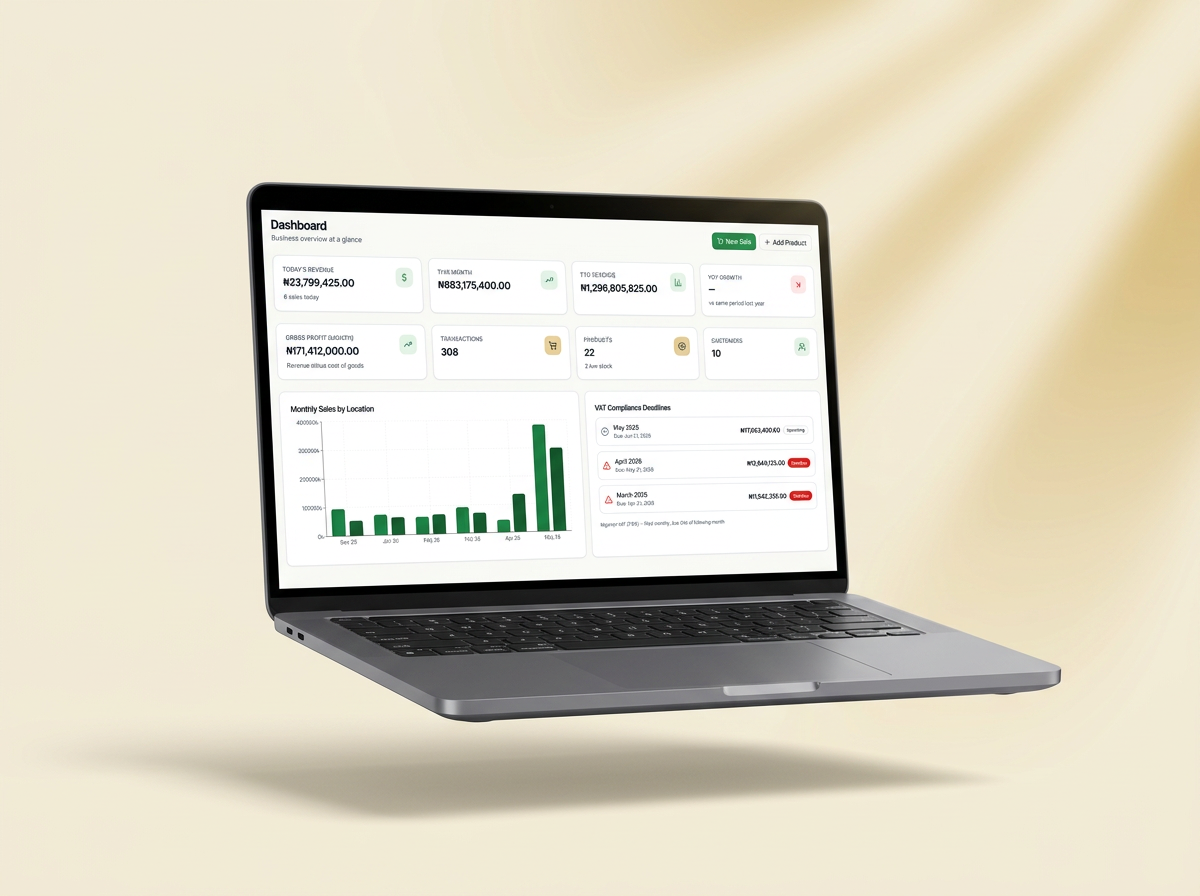
One business suite
When the till, the store room and the books share one record, the books stop being a separate job done after the fact.
Scan a barcode or search the catalogue, take payment and share the receipt on WhatsApp from one selling screen.
Track products and variants across shops and stores, with the history of every stock movement.
Raise purchase orders, receive goods into the right location and pay suppliers from the same trail.
Import a bank statement, match each line to sales, receipts or unpaid invoices, and reconcile the period against a confirmed closing balance.
Keep the ledger in the same system as the business, and choose whether reports run on a cash or accrual basis.
Ask about sales, stock, cash or the books in plain words. Answers show the source, period and location they used, and link to the report behind them.
Switching over
You don’t start from an empty system. Bring your records in, check them, and carry on from where you are.
Upload a spreadsheet or another app’s export. Match your columns once and reuse that mapping next time.
Bring in what customers still owe and what they have already paid, so balances start right.
Preview every row, fix the ones that need attention and skip what you don’t want.
Set where the books start, so reports begin from the numbers you already know.
Built around the work
Retail stores
For mini-marts, fashion, home goods, beauty retail and other stores that need sales, stock and cash to agree at the end of the day.
See the workflowWholesale and distribution
For businesses that buy in volume, sell on credit and need a clear trail from supplier order to customer payment.
See the workflowSpecialist shops
For electronics, spare parts, hardware and other product-heavy businesses with variants, several price points and frequent stock questions.
See the workflowGuided early access
We invite businesses in small groups. When a place is available, we’ll contact you to agree the setup and prepare your first sales and close together.
Request early accessTell us about your business: how many locations, who sells, and how you keep track of sales, stock and the books today.
We invite businesses in small groups. Together we set up your first location, import your products and customers, and add your staff.
Sell, move stock, record payments and complete your first daily close with us alongside.
In Canada, Zemba is a workspace for small accounting practices: monthly reviews on clients’ QuickBooks Online or Zoho Books, read-only by default. The business suite on this page is for businesses in Nigeria and Ghana.
Request early access. Tell us about your business and we’ll contact you when a place is available.
Early access by invitation. We’ll contact you when a place is available.